
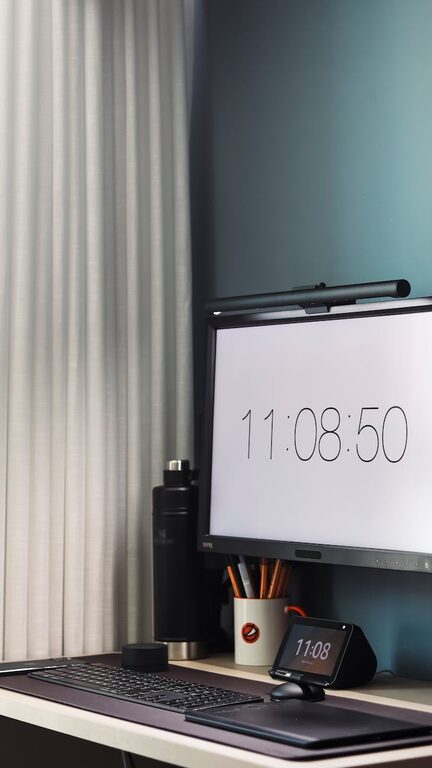
Creating a home workspace that is both clutter-free and conducive to productivity can significantly improve your work-from-home experience. Whether you have a dedicated office room or just a corner in your living space, the right setup helps you stay focused and motivated throughout the day. Here are some simple and effective tips to help you organize your home workspace for maximum comfort and efficiency.
Why Organizing Your Home Workspace Matters
A cluttered workspace can lead to distractions, wasted time, and increased stress. When everything is out of place or difficult to find, you might find it harder to concentrate or finish tasks on time. On the other hand, a well-organized area helps you maintain a clear mind and boosts your ability to work productively.
Choose the Right Space
Find a Dedicated Spot
Start by selecting a quiet and well-lit area in your home. Ideally, this should be a space you use only for work. Having a dedicated workspace mentally separates work from personal life, which is important if you’re working remotely.
Consider Lighting
Natural light is best because it reduces eye strain and keeps you alert. If that’s not an option, invest in a good lamp that provides bright, warm light.
Control Clutter with Smart Organization
Declutter Regularly
Take a few minutes at the end of each day or week to tidy your workspace. Remove unnecessary papers, empty trash bins, and put away tools or office supplies. This practice prevents clutter from piling up.
Use Storage Solutions
Invest in storage items like drawers, shelves, baskets, or desk organizers. Labeling containers can also make it easier to find what you need quickly. For instance:
– File organizers for documents
– Pen holders for stationery
– Cable clips or boxes for chargers and cords
Keep Only Essentials on Your Desk
Limit the items on your desk to what you use daily—your computer, notepad, and a few frequently used tools. Extra gadgets and decorations can create distractions.
Create an Efficient Layout
Ergonomic Setup
Your desk and chair should support good posture. Use an adjustable chair with back support, and position your screen at eye level to avoid neck strain.
Arrange Items Based on Frequency of Use
Place items you use often within arm’s reach. Store less frequently used supplies in drawers or shelves to keep the desktop clear.
Manage Digital Clutter
Organize Your Digital Files
Just like physical papers, digital files need organizing. Create clear folders for different projects or categories and delete files you no longer need.
Limit Open Tabs and Apps
Too many open tabs or apps can slow down your computer and overwhelm you. Close anything that is not immediately necessary to improve focus.
Establish Work Habits for a Clear Mind
Set a Cleaning Routine
A brief tidying session every day keeps your workspace inviting. Even 5 minutes of wiping down your desk and putting away items can make a difference.
Take Breaks Away from Your Desk
Stepping away clears your mind and decreases eye strain. Use break times to stretch or move to another room.
Personalize Without Overdoing It
A few personal touches like a plant, photo, or a piece of art can boost your mood but avoid overcrowding your desk.
Additional Tips for a Productive Environment
– Use a bulletin board or whiteboard to keep track of your tasks and deadlines.
– Invest in noise-canceling headphones if your environment is noisy.
– Keep a water bottle nearby to stay hydrated.
– Use cable management tools to prevent cords from tangling.
– Consider a standing desk or a desk converter for variety in posture.
Conclusion
Organizing a clutter-free and productive home workspace is about creating an environment that supports your work habits and minimizes distractions. By choosing the right space, managing physical and digital clutter, and maintaining good routines, you can build a setup that helps you stay focused and efficient each day. Remember, the best workspace is one that suits your unique needs and inspires you to do your best work.